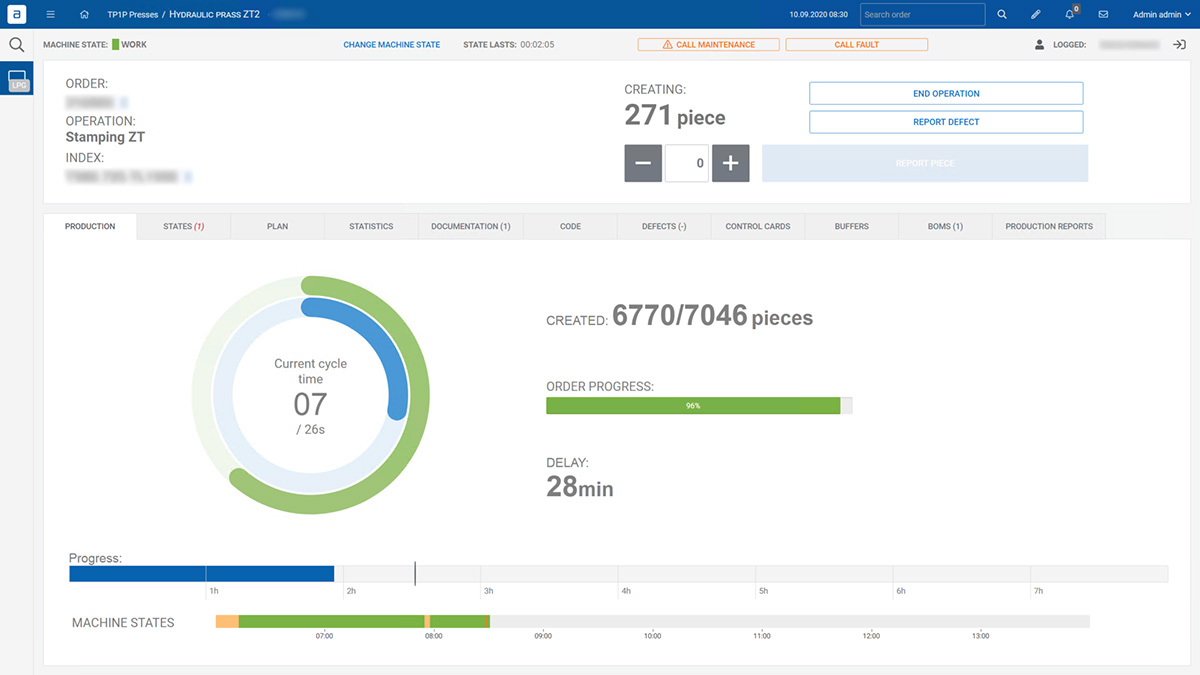
The Production Execution module lets operators execute orders and operations according to plan and technology. It validates and supports different types of production processes during which the operator can report production and machine states. The system displays current production, its status and progress. 

操作面板主屏幕

主要功能

生产-执行-图标-计划序列

按计划顺序开始生产

生产-执行-图标-生产进度

显示正在进行的生产的进度、主要关键绩效指标和当前的延迟情况

生产-执行-图标-机器状态-03

使用机器状态的手动或自动生产报告

如何上报产量?

After arriving at the workstation and logging in on the panel, the operator selects a production order that has been planned by the planner. All the actions he should perform to start production are displayed. Based on machine cycles or operator input system counts OK/NOK production. The system monitors machine states, which order is produced, its progress, and delays. Management can check the production health at a glance.  

主要好处

生产-执行-图标-模拟信号

借助报告功能,实现更快速、自动化的生产上线

生产-执行-图标-自动化验证

自动化验证和生产计数器

生产-执行-图标-机器状态-06

对机器状态进行监测,以便进行进一步分析

如何报告生产停机时间?

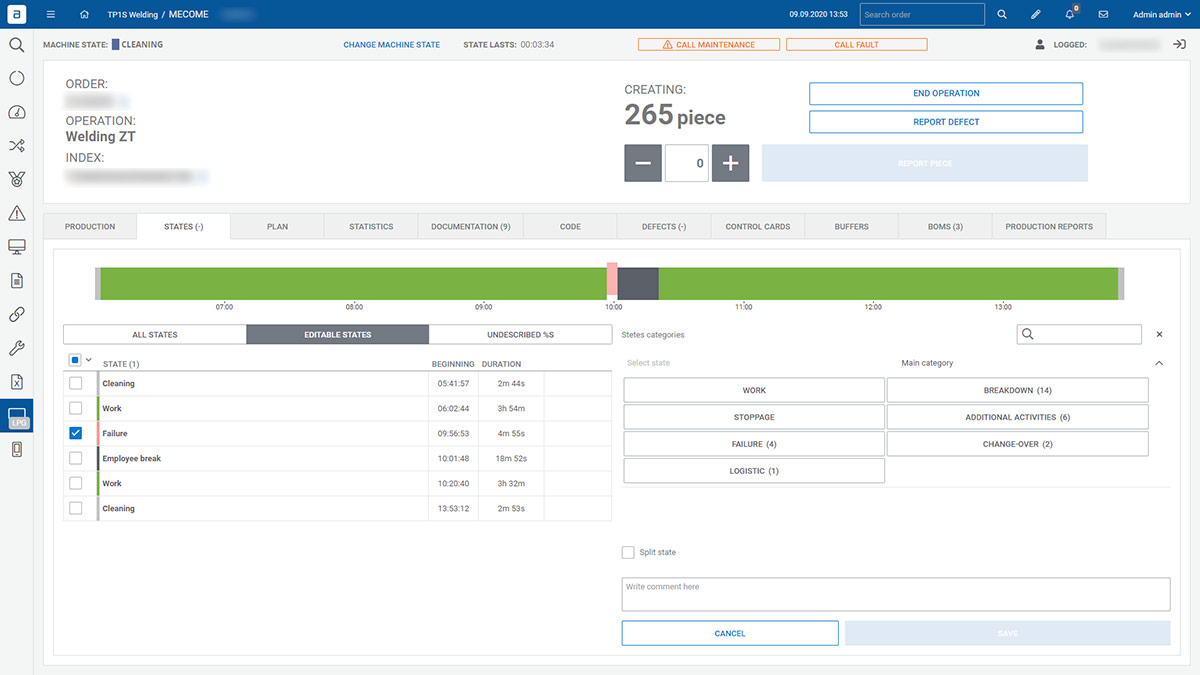
Use a built-in dictionary of the machine states. The Accevo system compares ideal cycle time with current results. When a production delay occurs, the system retrieves data from the PLC on the cause of the downtime or asked the operator to point it out. The administrator decides when the micro-stop is changing to downtime. Once the reason for the stop has been identified (failure, quality issue, lack of materials, etc.), the services concerned will be asked to react. 
设备状态---故障-主要类别
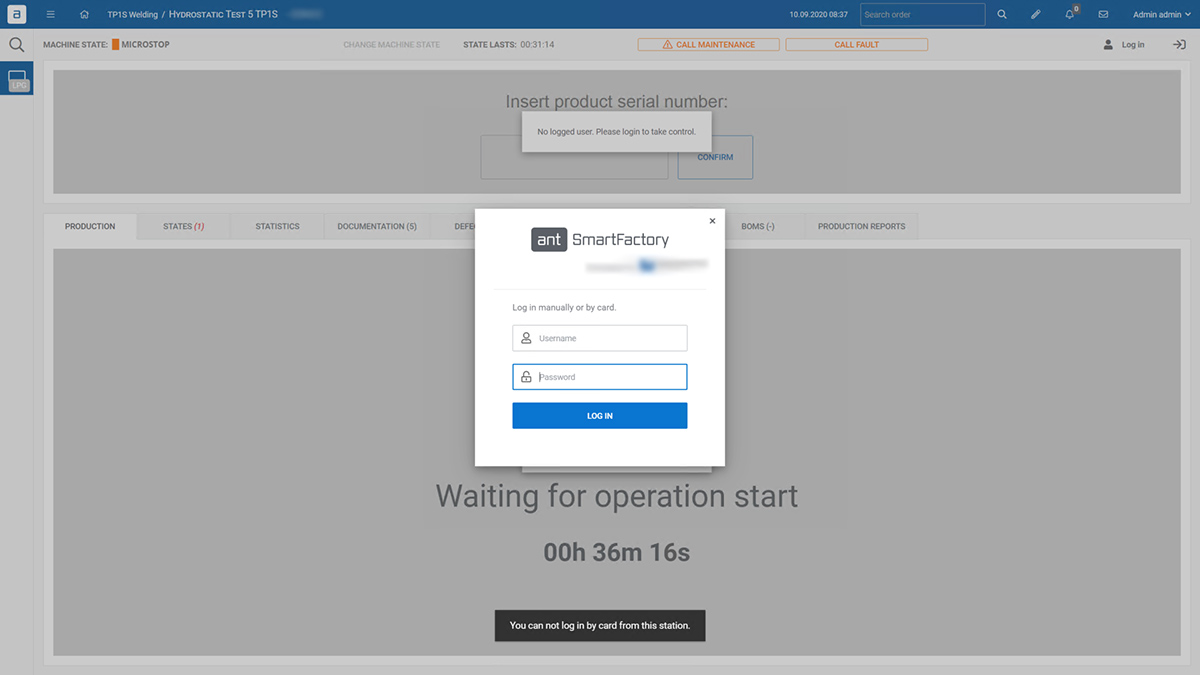
Users are be able to log into the system by manually providing username and password, using RFID card/tag, scanning 1D/2D code, or by using an NFC tag  
登录

您在寻找什么?

嘿,看来你对生产用的软件感兴趣...

注册通讯,获得目录,与同事们分享

By providing your email and clicking the “Download a catalogue” button, you agree to receive our newsletter.