






Monitoraggio dell'inventario per il magazzino dell'officina
Sistema WMS per negozi: gestite il vostro magazzino in modo efficiente!
Maintaining a competitive position in the market in the era of Industry 4.0 requires the use of technologically advanced solutions. Specialized tools support shop floor warehouses in achieving better and better efficiency indicators. A Shop Floor WMS allows you to remotely manage your shop floor warehouse, supervise the implementation of processes, detect sources of irregularities and monitor the operation of the plant in real time. Find out exactly what a Shop Floor WMS is and see how the modern software developed by Accevo works!
Che cosa è
un sistema WMS?
A Shop Floor WMS (Warehouse Management System) is specialized software for efficient warehouse and inventory management. The IT system allows you to collect data, check the correctness of processes, supervise their efficiency, instantly detect irregularities, as well as track products and identify events in real time.
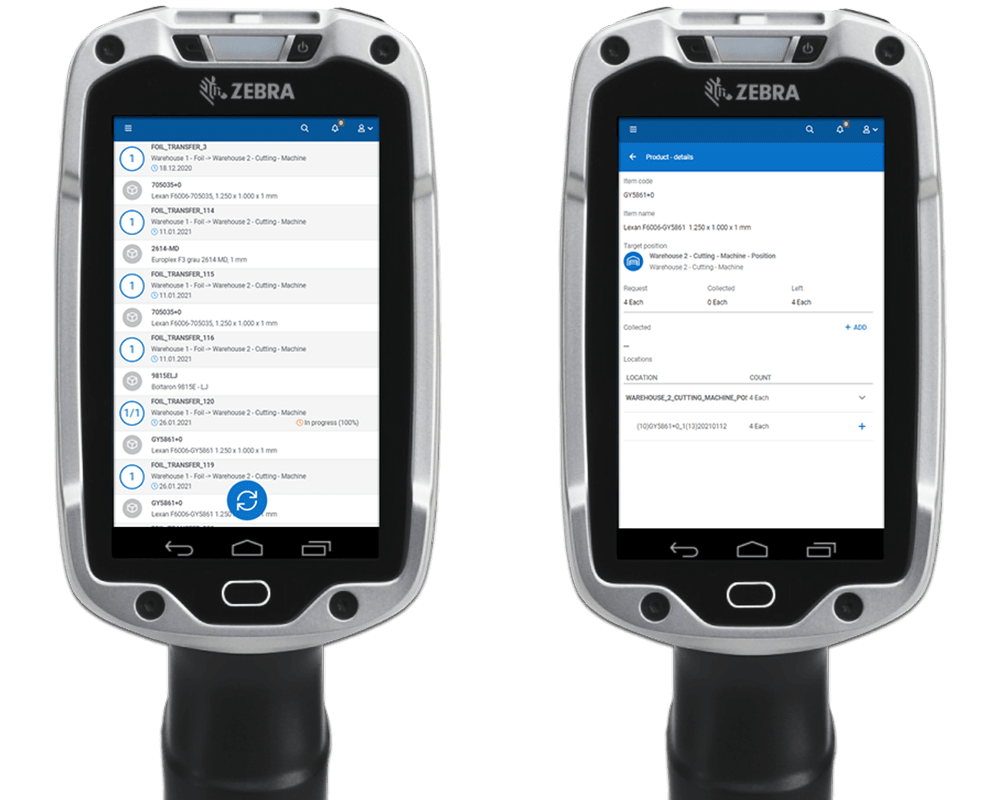
Accevo WMS provides users with easy interface and real-time stocks updates to manage shopfloor warehouse by identifying right products and their location. Ship goods and deliver parts just in time to streamline the production process.
Il costo di un WMS può variare a seconda delle caratteristiche e delle funzionalità necessarie. Il prezzo dipende anche in larga misura dalle dimensioni e dal numero di integrazioni esterne. Inoltre, per definire il prezzo dell'implementazione, il team del fornitore deve valutare lo stato attuale della struttura e portarlo agli standard del sistema, rendendo l'implementazione del WMS fattibile.
Ci sono molti fattori che influenzano la durata del processo di implementazione del WMS, come le dimensioni e la complessità dell'azienda, così come ulteriori esigenze specifiche dell'entità, ma in media, un'implementazione del WMS dall'inizio alla fine richiede circa 3 mesi. Il tempo di distribuzione può essere più breve se non è necessaria la personalizzazione o l'integrazione con altri sistemi.
Come funziona il sistema WMS Shop Floor?
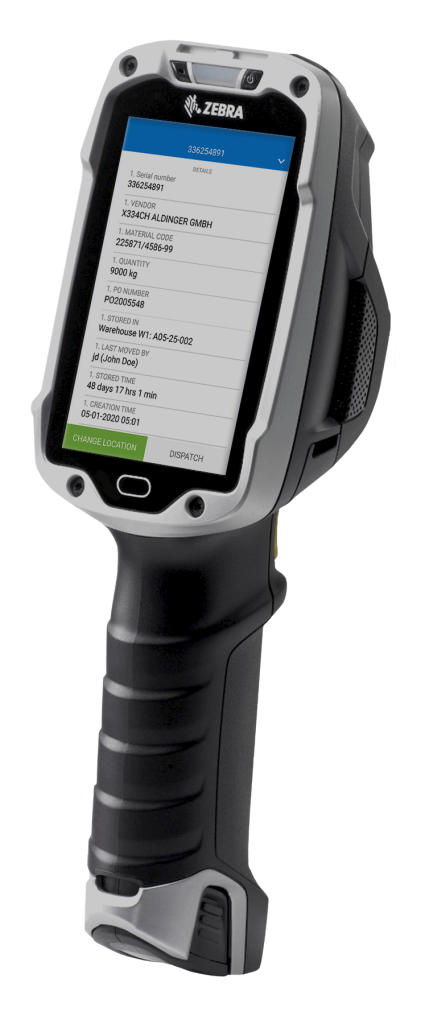
Accevo WMS uses traceability, or automatic identification technology, to record events in real time. Data acquisition in the form of status, location or product details is possible after scanning a 1D, 2D or RFID barcode tag. It provides a vehicle for product information such as serial number, location, path or a list of operations performed so far. This information can also be collected for multiple warehouses, making the entire product history available in one place.
The warehouse management system allows inventory monitoring. Location records provide instant information on the amount of available space in storage areas. The WMS collects data on logistics containers – the user is able to see what products are assigned to a particular container, and can add or remove container contents or parts of them. It is also possible to carry out relocations of products and entire containers. Each relocation is registered. This means that despite numerous relocations, the current location and path of products and containers is always known.
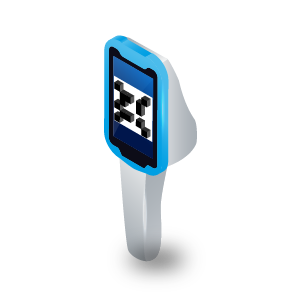
The program guides employees during the execution of subsequent processes, making work much easier and faster. The intuitive interface includes clear instructions and graphics displayed on device screens.
- add new products to the warehouse during the goods receiving process
- simple input data in the form or by scanning
- choose the position on warehouse
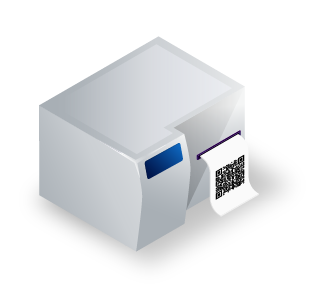
- auto print QR code for identification
Come funziona il sistema WMS per il monitoraggio dei dipendenti?
The software collects data on operations assigned to the ID of a specific user. This provides information on current activities and tasks completed so far. The collected data makes it possible to carry out an objective evaluation of employees based on precise data about their performance during the accounted period.
Accevo WMS works on mobile devices, allowing remote access to all information on warehouse operations collected in one place. The software eliminates the need to store data in piles of paper documentation. Based on the collected information, it is possible to create detailed reports.
In che modo il sistema Shop floor WMS migliora le operazioni di magazzino?
The Accevo WMS system allows you to manage stored products from the moment they are received until they leave the warehouse.
During unloading, the warehouse management system collects information about the delivered goods – their type, quantity and compliance with the order. A shortage or excess is immediately registered. At the goods receipt stage, the WMS allows to assign a location. The collected data is used to optimize the order picking process and set a path so that products can leave the warehouse as quickly as possible. If problems arise at the packing stage due to damaged or missing products, the Accevo WMS will allow you to find a replacement in no time and ship the complete shipment as planned.

Rapido processo di ricezione delle merci

Garantisce l'identificazione dei prodotti ammessi

Guida l'operatore attraverso il processo
Quali sono le funzioni di Accevo WMS?
Struttura del sistema di magazzino
Il sistema consente di definire la propria struttura di magazzino con i suoi livelli: scaffali, ubicazioni, posizioni. Le proprietà personalizzate dei tipi di magazzino e dei livelli possono essere impostate per modellare i processi aziendali. È disponibile anche la configurazione per la gestione di un flusso accettabile di prodotti tra i magazzini.
Processo di ricevimento merci
Quando si riceve la merce in magazzino da un fornitore esterno, il sistema registra tutta la merce in arrivo, stampa automaticamente un'etichetta per ogni lotto e procede al trasferimento della merce al magazzino e alla sua ubicazione. Il sistema monitora l'avanzamento e la completezza dell'ordine (PO).
Buffors
Monitoraggio del luogo in cui sono immagazzinati i prodotti, dell'inventario corrente e una visione d'insieme per tutti i magazzini. Informazioni sull'occupazione di ogni livello, sul contenuto dei contenitori o sul numero di serie delle merci.
Movimenti di magazzino
Modifica dellla posizione di un contenitore scansionato o di un prodotto serializzato. L'utente può suddividere il movimento, prendendo solo una parte della merce nella posizione scansionata. Il sistema consente all'utente di spostare la merce solo in altre ubicazioni, secondo il flusso di magazzino stabilito. L'utente può effettuare più spostamenti durante una singola transazione.
Spedizioni interne ed esterne
Un meccanismo automatico tra MES (in produzione) e WMS. Le richieste di approvvigionamento dei materiali vengono create e gestite dal magazzino in base a un elenco preparato. I materiali vengono prelevati dai luoghi suggeriti. Il progresso è monitorato in ogni momento.
Dispositivi mobili
Il sistema funziona su dispositivi mobili che consentono di accedere ai dati in tempo reale scansionando qualsiasi luogo, contenitore o prodotto (S/N). È possibile utilizzare un dispositivo mobile per eseguire processi quali il ricevimento delle merci, la spedizione interna ed esterna delle merci o i movimenti di magazzino.
Stampa di etichette
L'utente può gestire e creare nuove etichette nel sistema. Le etichette possono essere personalizzate dall'utente con assegnazioni a singoli articoli o clienti. Le etichette possono essere impostate per essere stampate automaticamente, ad esempio durante il ricevimento o la spedizione.
Contenitori
Gestire i contenitori con la loro posizione e il loro stato. L'utente può visualizzare il contenuto di un contenitore e modificarne lo stato, spostare i prodotti in altri contenitori o rimuovere i prodotti da un contenitore. Supporto del processo di reimballaggio dei contenitori.
WMS nella logistica: perché i magazzini moderni dovrebbero implementarlo?
Implementing a WMS in logistics is an effective way to keep warehouse structures in order. Despite the implementation of numerous processes, the information collected by Accevo WMS allows you to quickly find the necessary data. The software also provides effective support in solving problems – thanks to a clear history, you can instantly locate the cause of irregularities and prevent them in the future.
A dedicated solution allows you to create a personalized structure tailored to the current needs and capabilities of a specific plant. The warehouse management system can be integrated with other IT systems such as MES or ERP. Efficient communication and constant access to current data translate into an increase in the efficiency, productivity and quality of processes, thus enabling the timely implementation of the set objectives – this in turn is one of the key elements in building positive relationships with contractors.
Come si può integrare il WMS nel flusso di lavoro quotidiano?
The system works on shipping orders, which are automatically written out for the user. By scanning identifiers (containers or products with serial numbers), the system automatically checks whether the scanned goods are suitable for shipment. Thanks to this mechanism, only good parts will reach the end customer. The progress of the shipping order is monitored and visualized. The system prompts from which location to retrieve products. A shipment can be blocked and resumed only by an authorized user. Blocked goods can be moved to another location for further QC decision.
1. incoming from supplier
2. admission to warehouse – identification print for product
3. quality control and release to production
4. movement from warehouse to production
5. shipment with validation and VDA label print
6. shipment
Sistema di gestione del magazzino - puntate su una soluzione di Accevo!
Accevo is a proven provider of advanced technological solutions. We offer comprehensive implementation of a personalized WMS for smaller ,larger warehouses and shopfloors. Our own source code allows us to perform modifications to the system – our WMS will evolve with the growing needs of the company.
The knowledge and skills of a dedicated team translate into the effectiveness of customizable software. Our experts with years of experience have numerous successful implementations behind them.
Join the ranks of satisfied customers and achieve your goals. Contact us for more information about implementing a WMS in your facility. Increase the efficiency and quality of your processes and stay ahead of the competition with Accevo WMS!
Presentazione del sistema
Contatto con il nostro esperto
Perché ottenere una demo?
- A 60-minute online meeting with a dedicated specialist presenting a top system from an industry similar to yours
- Live modeling of your production process
- A budget quotation after the meeting
Articoli correlati

Come gestire la produzione utilizzando un moderno WMS e robot mobili autonomi? (VIDEO)
Le fabbriche moderne devono sviluppare e aumentare costantemente gli indicatori di efficienza per raggiungere e mantenere una forte posizione di mercato. Uno dei modi per farlo è

WMS: come scegliere un sistema di gestione del magazzino e quanto costa?
Un WMS viene utilizzato per controllare meglio i processi di magazzino e aumentare gli indicatori di efficienza. Per ottenere l'effetto desiderato di migliorare l'efficienza e l'efficienza del magazzino.